WhatsApp QR code generator: open a chat with one scan
A WhatsApp code saves the customer a step that loses sales: hunting for your number, saving it, then finding you in a contact list. One scan opens the chat with a message ready to send. The trick is the phone number format, and this guide gets that right first time.
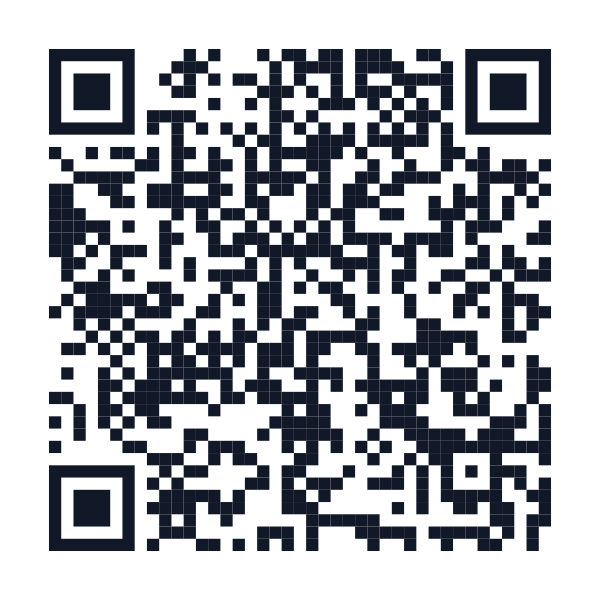
971501234567 and the message already typed. Change the number and the message in the generator; the structure stays the same.What the code actually opens
The code holds an ordinary web address of the form https://wa.me/971501234567. Opening it on a phone launches WhatsApp if it is installed, or offers to install it if it is not. Because the address is a normal link, it also works when the customer scans it with a desktop browser or clicks it in an email.
Add ?text= with a URL-encoded message and the chat opens with that text already in the box. The customer can edit it before sending, and nothing is sent automatically — which is exactly what you want. A message that sends itself looks like spam and gets deleted.
Get the number format right
This is where most WhatsApp codes fail. The number must be the full international number with no plus sign, no leading zero, and no spaces, dashes or brackets:
| Written as | Works? | Why |
|---|---|---|
971501234567 | Yes | Country code, then the number without the local leading zero. |
+971 50 123 4567 | No | Spaces and the plus sign break the link. |
00971501234567 | No | Drop the 00; the link already implies an international call. |
0501234567 | No | Missing the country code; WhatsApp cannot guess the country. |
For a UAE mobile, 050 123 4567 becomes 971501234567. For a UK mobile, 07700 900123 becomes 447700900123. When in doubt, open WhatsApp, go to Settings, tap your own name and copy the number exactly as it appears there.
Make the code in four steps
- Open the WhatsApp generator.
- Type the number in international digits only.
- Write the pre-filled message. Keep it to about one line: "Hi, I would like to book a table for four" is enough. It must be the first thing you can answer, not a paragraph.
- Download the PNG for the website and social posts, the SVG for print, or the PDF for a counter card.
Scan it yourself before publishing. WhatsApp should show the chat with your business number and the message in the box; if it opens a blank chat, the number is wrong.
Writing the pre-filled message
- Give the customer words to send. An empty box is a small barrier; a half-written line is a prompt.
- Ask for something specific. "Which service would you like?" produces a conversation. "Hi" produces nothing.
- Do not promise an instant reply in the message. If nobody is watching the phone at 2 a.m., say the hours on the printed card instead.
- Keep Arabic as Arabic. The generator encodes the text as UTF-8, so a message in Arabic arrives in Arabic rather than as symbols.
Where a WhatsApp code earns its place
A shop window, a delivery van, a receipt, a price list, a business card, the last page of a PDF invoice, a table tent that says "order on WhatsApp". Anywhere a customer would otherwise copy a number by hand.
Two rules when you print: put the number in readable digits underneath the code, because some people prefer to type; and put your opening hours beside it, because a chat that goes unanswered for a day reads as a closed business.
Common mistakes
- A landline number. wa.me only opens chats with numbers registered on WhatsApp. Test with a second phone before printing 500 cards.
- Changing the number later. The code is static. If the number changes, the card is rubbish. Keep the number on a SIM you control.
- Putting a personal number on a public poster. Use the WhatsApp Business number, and separate work from family.
- A message that is too long. Long pre-filled text gets deleted before sending, and it makes the code denser for no benefit.
- Assuming everyone has WhatsApp. Add "or call" beside it. In some markets WhatsApp is universal; in others it is not.
Test on both platforms
Open the code on an iPhone and on an Android, ideally with WhatsApp already installed on one and not on the other. Check three things: the chat opens with the right contact name, the message is in the box, and the back button returns to the page the customer was reading. If the code is in a shop window and the customer is not on your wifi, test on mobile data.
Frequently asked questions
Is there a free WhatsApp QR code generator?
Yes. This one is free, needs no signup and adds no watermark, and it runs in your browser: the number and the pre-filled message never leave the page.
Does the customer need my number saved to open the chat?
No. The link opens a chat with your number directly, and WhatsApp offers to save the contact afterwards. That is the main advantage over printing a number.
Can I use the same code for a group?
Not with this link format. Group invites use a different address that WhatsApp generates from inside the app; use the plain text generator with an invite link if you need one.
What happens if the number is not on WhatsApp?
The page asks the visitor to invite that number to WhatsApp instead of opening a chat, which looks like a broken code. Check the number on a phone that does not have you saved before you print.
Read next: vCard QR code business card: share a contact in one scan — A card that saves itself into the phone's contacts in one tap.