QR code for a website link (test it first)
A link code is the simplest QR code there is: it holds one web address and nothing else. That is also why so many printed ones fail. The code is easy to make; what people skip is opening it from three metres away before sending the file to a printer. This guide makes the code, then checks it properly.
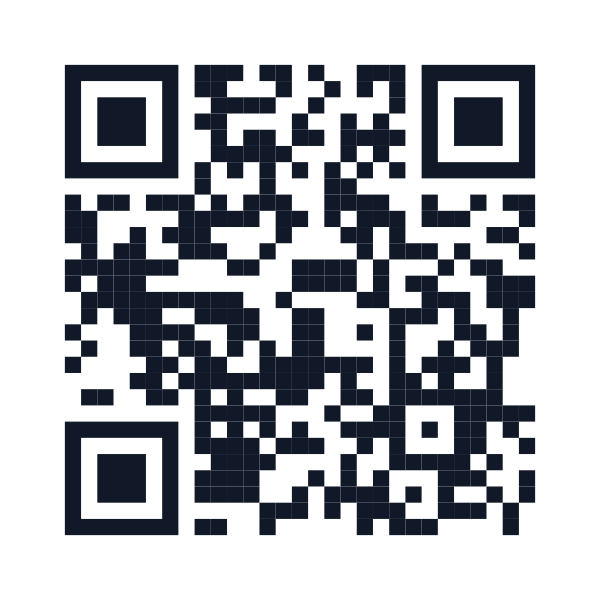
What a link code actually holds
A link code contains one thing: the address as plain text, for example https://example.com/menu. There is no account, no database and no redirect. The phone reads the characters, checks that they look like a web address, then offers to open them.
So the code works as long as the page works, and you cannot edit it afterwards: every character, including a stray capital letter, is frozen into the pattern of squares.
Make the code in five steps
- Open the link generator. It already contains this site's own address, so you can see a finished code before you type anything.
- Paste the address you want to open, including
https://. Copy it from the address bar of the page you are on instead of typing it from memory. - Choose a style. Black on white scans best; a dark teal or navy is fine if it stays clearly darker than the background.
- Watch the live preview next to the form. It redraws on every keystroke, so a typo usually shows up as a code that suddenly looks denser.
- Download the PNG for screens, the SVG for a printer, or the PDF for a plain A4 sheet. Keep the SVG: you can enlarge it to a poster without blurring a module.
Keep the text short. A bare domain gives a small, open pattern with generous squares. Adding a campaign string such as ?utm_source=poster&utm_medium=print more than doubles the character count, packs the modules tighter and makes the code harder to read at a distance. If you need tracking, point the code at a short link you control and add the tracking there.
The link mistakes that break a printed code
- A staging address.
staging.example.comor an IP address works at your desk and dies when the site goes live. Print the address a customer will actually reach. - http:// instead of https://. Many phones warn before opening an insecure page, and some browsers refuse the redirect. Use the https version.
- A page behind a login. A code that lands on a sign-in screen wastes the scan. If the page needs an account, say so in the text beside the code.
- A trailing space or a capital letter. On the web
/Menuand/menucan be two different pages. Paste, never retype. - A PDF where a page would do. Mobile browsers open PDFs in a viewer and some force a download. A normal page loads faster and can be edited later.
Test it the way a stranger will
Testing on the screen where you made the code proves almost nothing: the pixels are perfect and the distance is 30 cm. Do these five checks before the file goes to a printer.
- Print one copy at the final size on ordinary paper, then pin it where it will hang.
- Scan from the distance a real person stands. A table tent is read from about 40 cm, a poster from 1.5–2 metres, a shop window from 3 metres. If you have to lean in, the code is too small.
- Use two phones, ideally one iPhone and one Android, because their camera apps crop and focus differently.
- Read the address on screen before tapping it. That is what a cautious customer does, and it catches a wrong domain instantly.
- Open the page logged out, on mobile data. Your office wifi may reach an internal copy that the public cannot.
Scan it in dim light too: a matte print under a warm bulb is where glossy cards quietly stop working.
Sizing and placing a link code
The rule that survives contact with real rooms: the code should be at least one tenth of the distance it is read from. At 2 metres that is 20 cm across; at 40 cm it is 4 cm. Leave the white margin — the quiet zone — untouched, and never let a designer crop it to make the layout look tidy.
- Put the readable address in small type underneath. It is the fallback when a camera refuses to cooperate.
- Avoid curved surfaces. A code wrapped around a bottle or a pole distorts and stops scanning.
- Print matte. Gloss reflects ceiling lights straight into the lens.
- Give the code its own space. A code crowded by a headline competes with everything else for the camera's attention.
When the link has to change
A code made here is static: the address lives inside the picture. If the page moves, the printed code keeps pointing at the old address, and the only fix is a new print.
If the destination will change — a seasonal menu, a campaign page — point the code at a short link you own, such as yourdomain.com/qr-menu, and change where that redirect goes. One printed code, one editable target: the honest version of what paid services sell as a "dynamic" code.
Frequently asked questions
Can I test a code without a phone?
Use the reader on this site: upload the PNG and it shows the exact text inside. That catches a wrong URL but not camera focus, glare or distance, so still borrow a phone before the final print.
Should the code open my home page or a specific page?
The specific page. A home page forces the visitor to hunt for whatever the poster promised, and most people leave instead of hunting.
Does a longer link make the code bigger?
It makes each module smaller, because more characters need more squares in the same area. At a fixed print size the code becomes harder to scan, so either shorten the link or print larger.
Read next: WiFi QR code for guests: one scan to join — One scan joins the network, plus how to hand out the password safely.